

The Lord of the Rings Online
 The Lord of the Rings Online
Lotro Login for Musicians: get the band ready
About 8 minutes to read
Patsy Wackelwitz reports for Patsys Wackelcast · LOTRO
My dear butterfolk, I have attended quite a few concerts in my time. In Tamriel, bards will perform in a blizzard if someone keeps pouring the mead. In Middle-earth, I have learned that the most difficult piece of the evening often isn’t on the music stand. It is called “Overture for Seven Logins and One Desperate Bandleader”.
That is why I am sitting here with a quill, parchment and a stoneware bottle of tea, writing about a tool from our own workshop: Lotro Login für Musiker — Lotro Login for Musicians. Christian of Darkbats Fantasy programmed it himself. I have had a look, and, as always, I am in charge of the sweet rolls. This division of labour has served us well.
Version 1.19.0 Beta · Your band at a glance
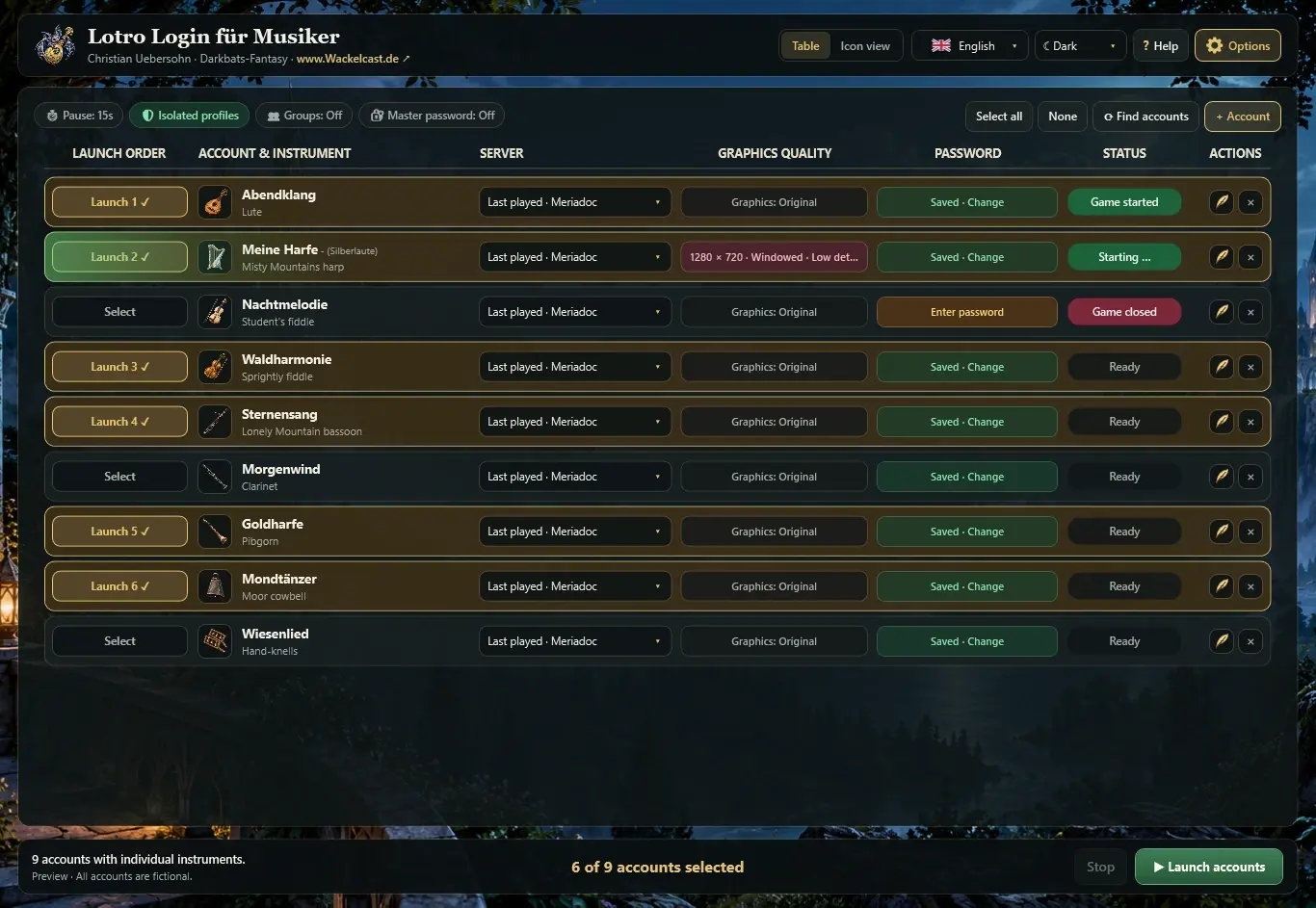
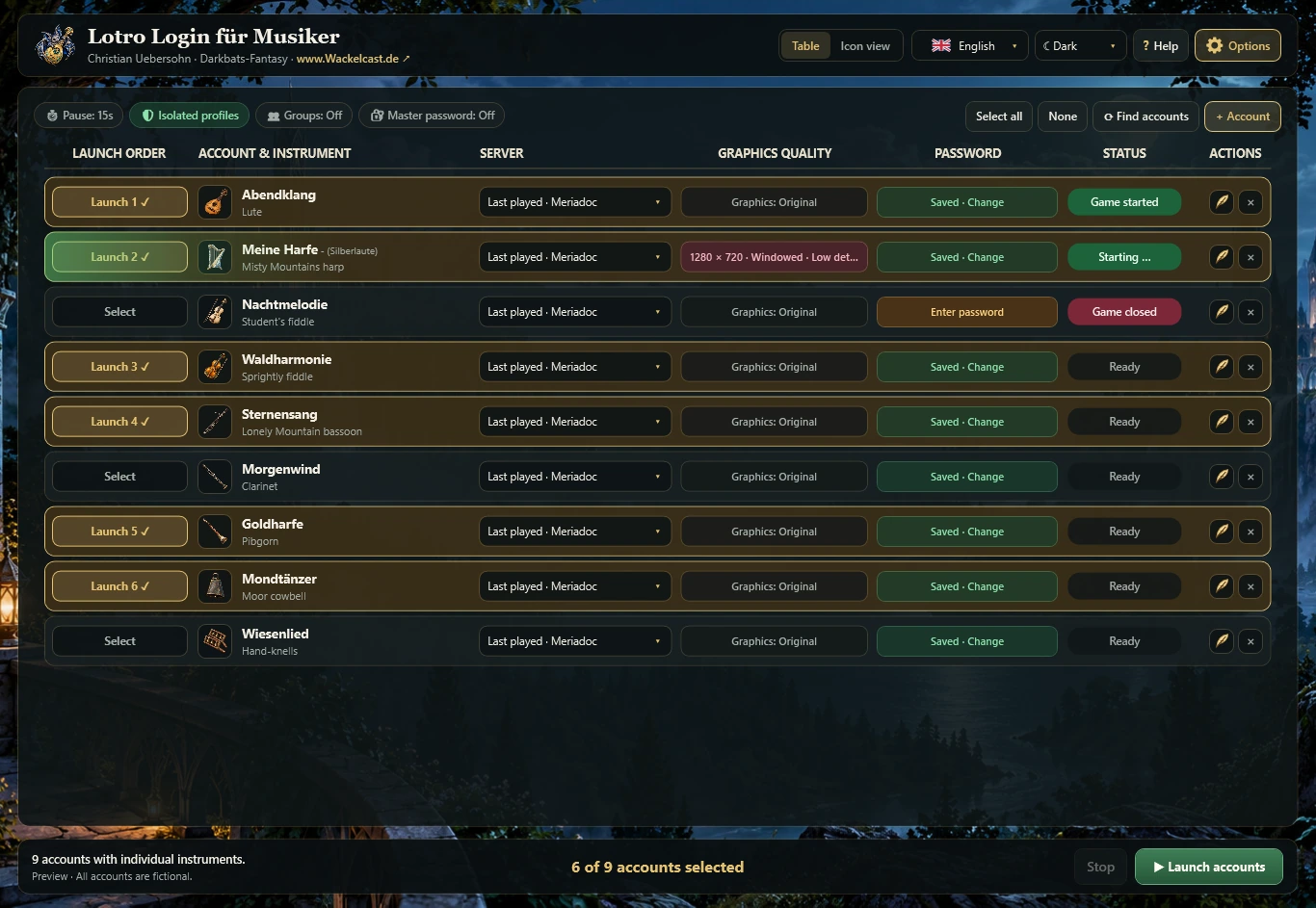
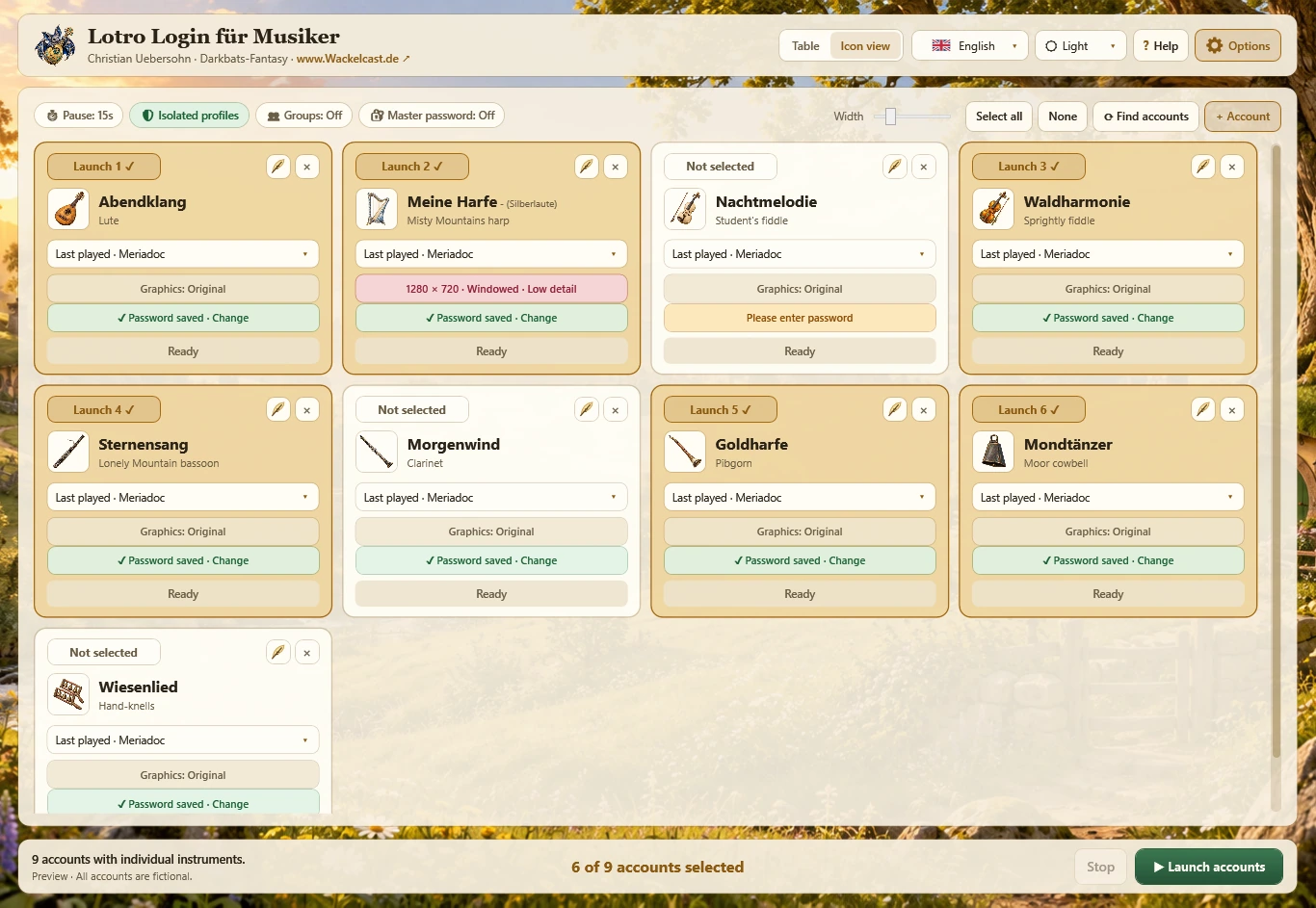
The new table puts each musician’s name alongside their instrument. You can see which world they will join and which graphics profile they use. If you prefer to pick out your musicians by their instruments, choose Icon view at the top. The controls above the accounts show your launch delay, separate profiles, group launch and master password protection.
Which backup do you want to restore? File names now show the date, time and purpose. For example, 2026-11-21 18-35-20 - Grafik.ini is a graphics backup. With one LOTRO settings folder, the app keeps the first backup and up to 19 more. It clears older copies it created when you open the app and after a new backup. A file needed for a pending restore stays protected. Open the gold gear and choose Options → Security & Graphics to select a backup.
A look inside the app
Just before the first note
Picture the scene. The stage in Bree has been swept, the audience is waiting and the lanterns are lit. The lute player has tuned her instrument. The drummer taps impatiently on the rim. And behind the curtain, a player sits at her computer muttering: “Which account was the flute again?”
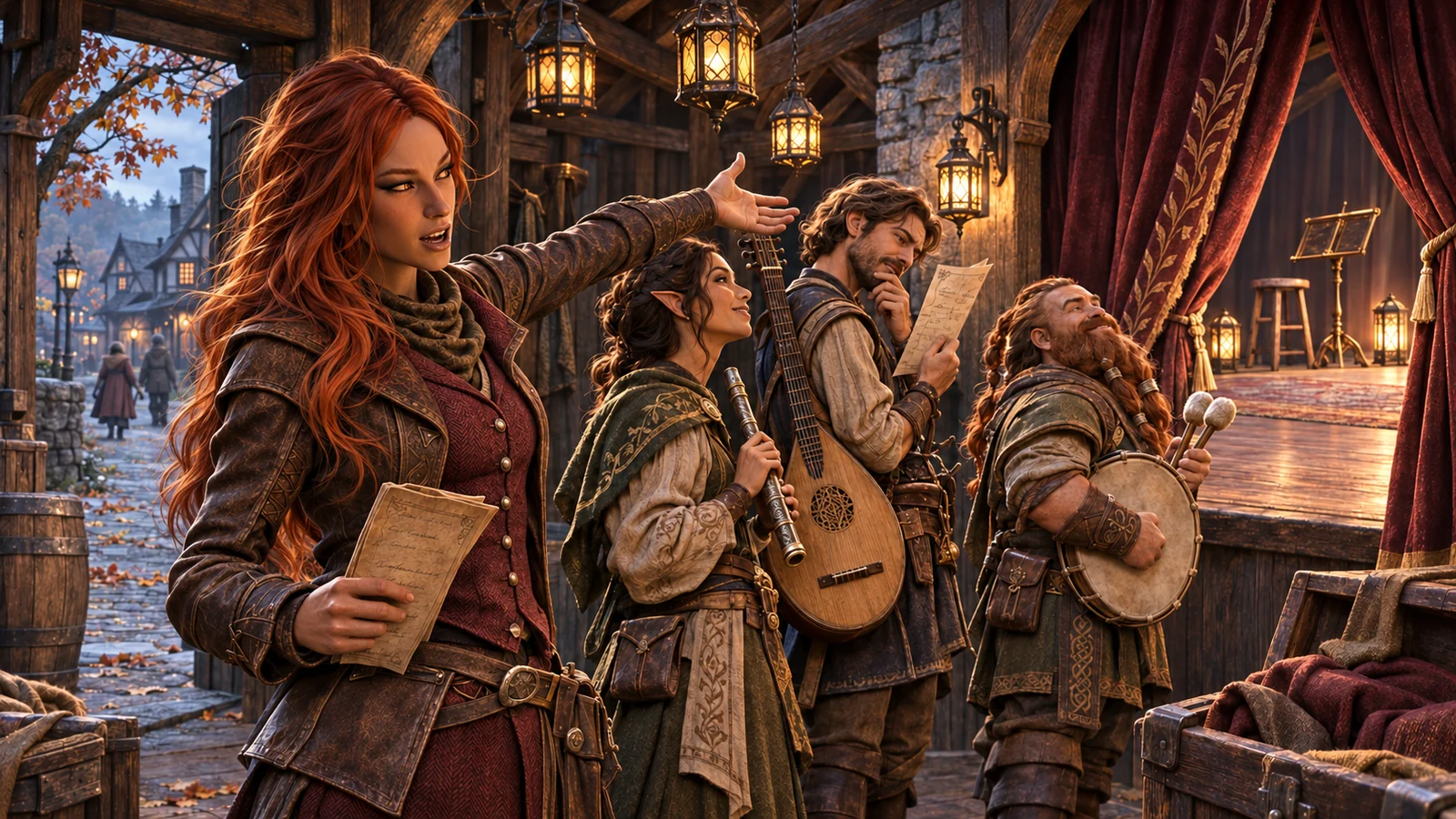
Anyone who performs with several musicians in LOTRO knows the problem. Every account needs to be launched separately, in a sensible order, preferably without accidentally logging in the bagpipes twice. It isn’t a great heroic feat, but it frays the nerves. You need those nerves for the difficult bars once you reach the stage.
What the tool does
Lotro Login for Musicians is a small Windows helper that brings order to this prelude. Your LOTRO accounts appear either as cards or in a compact table. You choose which accounts will join the performance and set their launch order.
Display names, instrument icons and status indicators help you keep the band straight. That may sound like a small detail. I think it is the cleverest part: an account named “xyz_42” tells nobody anything at five minutes to eight. A little lute next to it certainly does.
The official LOTRO launcher still checks and installs game updates. With separate account profiles, the app then starts the selected accounts directly, each with its own settings file. After detecting each game start, it waits for a pause of your choosing. Larger bands can use group launch, with a longer pause between groups or a button to start the next group manually. Before launching, drag accounts into the desired order in either table or icon view.
Getting started
The process is pleasantly short:
- Run Lotro-Login-fuer-Musiker-1.19.0-Setup.exe and open the app.
- On first use, select LotroLauncher.exe.
- Check the accounts detected locally, add any missing ones and arrange the launch order.
Before the first game launch, the app checks for game updates through the official launcher. If a new licence agreement is required, accept it yourself in the official launcher. You then select your characters in the game as usual. I find that reassuring. The tool is a stagehand who opens the doors in the right order. Walking through them is still your job.
The essentials: version 1.19.0 Beta runs on Windows 10 and 11. The app requires .NET Framework 4.8 or later. There are five languages, light and dark themes, and a built-in guide. The full instructions are right there in the app, so you needn’t hunt for a crumpled piece of paper.
Window and graphics start profiles
If you run several clients at once, you know that not every musician needs to shine in full screen with every detail turned up. The tool therefore offers optional window and graphics start profiles.
Separate account profiles are enabled for new setups. Each account gets its own settings file: the main account can use the original graphics while extra musicians run in smaller windows with fewer details. Licence acknowledgements already saved in an account profile are preserved when changing graphics settings; you still accept new terms yourself. Close all game windows and launchers before the first start with this version. Afterwards, you can add more musicians alongside accounts launched and recognised by the app. Please also read the in-app guide. A previously saved choice of launch method is preserved.
An honest word about passwords and signing
Now for the serious part, butterfolk. I like convenient tools. But convenience and security should always sit side by side on the scales.
You can optionally store passwords encrypted for your Windows user. The previous launch method passes passwords to the official launcher as launch arguments. Separate account profiles instead use a session ticket to start the game. This is also confidential: programs with sufficient permissions can read process arguments. The Tools page says so openly, which I appreciate. My own thought: if you share your computer or are unsure what software runs on it, think carefully about storing passwords. It is an option, not a requirement.
The second honest point: the installers are not digitally signed. Browsers or Windows may therefore display a warning or block a download. Christian programmed the tools himself and says that, to the best of his knowledge, they contain no malware. Whether you use them is your decision. If you feel unsure, leave them alone. Nobody wants to push an installation on you — least of all me with my mouth full.
Lotro Login for Musicians is an independent utility from Darkbats Fantasy, not an official game tool.
Feedback for the workshop
Found a bug or had an idea? Write to Christian@darkbats.de. A screenshot and a short description of what happened help most. “Doesn’t work” is not a bug report; it is a sigh. I am happy to receive sighs, but Christian needs details.
A small aside: the same page also offers its sister tool, ABC-Scanner Studio, in case your pile of sheet music needs organising too.
Patsy’s verdict
Lotro Login for Musicians does not solve a world problem. It solves a band problem, which can sometimes be more important. Accounts as cards or a table, a fixed launch order, pauses between starts and little instrument icons help the first note arrive on time. It also speaks plainly about the limitations of password handling and unsigned installers.
My advice: read the guide, make a deliberate choice about password storage, and follow the guide for window and graphics profiles. Then you may even have time for a sweet roll before the concert. One. The others are already spoken for.
Find the details and download on the Tools & Downloads page.
Yours, Patsy Wackelwitz, with a wool scarf from Bree and ink on her thumb
Sources
More stories worth a read
Room in the wardrobe and a potion for the road
If there is one thing I treasure on my travels through Middle-earth quite as much as a warm fireside and a freshly filled mug of mead, it is a tidy wardrobe with …
Read more : Room in the wardrobe and a potion for the road
Do I really have to mock this dwarf?
Some quests in Middle-earth have you draw your sword. For others, you’d sooner bake a cake. And then there’s the kind where your hand hovers over an emote and a little voice …
Read more : Do I really have to mock this dwarf?
A 50-pound salmon and a pheasant for a witness
Some heroic deeds begin with dragonfire. Others start with a little splash beneath a waterfall! On 17 October 2026 a player on r/lotro told the tale of just such a splash. At …
Read more : A 50-pound salmon and a pheasant for a witness